I’m not a developer; I cannot write a single line of code. But, being the Product Manager for the Blippa system allows me to play around. Yesterday I made a simple editor, enabling easy edit of native…
Usecase: Nightwatch staff members has to scan a qr and checkin. Problem: After selecting Check in (or Check out) many users forgot to also press Save. Solution: We added two settings: 1: In the (Form)…
Usecase: For a partner event, there was a need to make a sort of lottery, using beer bottles. Solution: 150 blippa objects were created. A variable “winner” was applied. When an object with winner=1…
Usecase: The Blippa system is used for providing a pay-and-use solution for a high-pressure washer (and harbour toilets). The unlock of the toilets door locks are made using Shelly relays. A similar…
We have now added the possibility to combine the regular AI chat, using variable-enhanced prompts, with web search. This lets the AI do a broader search to gather more data for its responses. Setting…
Scenario: How to get the cleaning instructions from a pdf file into Blippa? Solution: Download the pdf In you function block, add the function “Form”. In the form, select “Create fields”+“With AI…
When presenting a product, like in a Digital Product Passport (DPP), it is common to show multiple images and let the user scroll/swipe between them. In Blippa, you can only set one object image, not…
I asked Claude to take a look at https://rexidy.com and make a CSS where the buttons are in a line. Not sure if it is an improvement. Perhaps having different CSS for mobile and desktop, since the…
Scenario: You have one data source with a mix of different object types: Computers and printers. You would like to create all Blippa objects automatically. You would like to use different templates…
Variables is a superpower in the Blippa system. A variable can be used to show the current WiFi code in all conference room pages. Or the current price. Or the current date or time. Or the product…
Normally only one page design is used in a Blippa account. However, there are scenarios where you would like to apply different designs, like for different brands etc. You can do this in three ways…
The Blippa system is great for creating problem reports for equipment like printers, coffee machines etc. In Blippa, it is easy to create a Form to report any problem and have the form to send an…
Great results for physical promos! A few days ago, my new laser engraving machine finally arrived. After picking up a bundle of blank key fobs, I naturally had to test it out by engraving QR codes…
Yesterday, we made a hack that makes LED lamps show different colours using Blippa forms and calendars. Primarily for applications like conference rooms, showing green for free, red for occupied, etc…
Working with labels/stickers is central in most Blippa projects. Until now, Blippa has only been able to produce PDFs or image files for sending to a printing company. And, doing just a few custom…
In order to comply with the Digital Product Passport (DPP) JSON responses, we have now added “Alternate Outputs” to the tabs in Blippa Objects and Templates. Also, this setting is available in each…
We have just delivered a payment solution for a parking. The customer pays the minimum fee (24 hours) to get in. And then, for any additional days when leaving the parking area. The gate is opened by…
When working with the Blippa DPP system, you are somewhat limited in the look&feel along with what functions you can use. As a technical experiment, we have now added some features to try out. When…
When working with a label that contains many small labes (like a deck of cards with small qr labels) you need to be able to duplicate a created embedded label. And now it it is possible!
When working with variables and tables in Blippa, it is common to end up with text that bleeds out of the table cell: So, we made a setting to prevent this, You can now add :limit after the variable…
In order to make it easier for new admins, we have added ”Marketplace Templates” as a way to get started. Now, when creating a new object in Labelsadmin, templates that has been shared appears in the…
There is a setting in Blippas Page Design that allows for a background image behind the page. On mobile devices, there is no screen space for this image, so it is unnecessary to download it. So, we…
One of the Swedish bouat clubs has now installed a Shelly relay for their pressure washer. By scanning a QR code, a payment page (powered by the Blippa system) appears with payment options. When a…
The Blippa system was not built as a regular CMS, instead it was focused on providing millions of individual, dynamic, web pages for objects. But, we are now delivering tourist systems based on…
I have a house with many flowers on the balconies. Most flowers are in balcony boxes, irrigated with my own invented automatic system. But the other flowers need to be watered by hand. And, since my…
Blippa was not built as a full web content management system (CMS). It was built for creating billions of individual pages, accessible though QR, NFC or GEO positioning. But, Blippa is now being used…
If you have a lot of functions, you can now enable the new cache feature. This salves the first fetch of the functions into a cache to speed up the loading time. How to use: In the Functions tab…
We have now made some enchancements to the (Form) Ratings. You can now aggregate ratings into statistics. To do this: Create a Blippa data source with colums for what you would like to base the rating…
This week, we made a hack: The “Redirect to static file” feature. With this, a Blippa object can open up a static page instead of the Blippa object itself. The downside is that all the fabouls Blippa…
We have now added support for Chinese. This works with the built-in translations powered by Google Translate. Current languages: Swedish English German French Italian Japanese Estonian Ukrainian…
We have now added the ability to set variables by adding parameters to the object URL. This might be useful when working with other systems as an easy way to get data into Blippa. First, you need to…
I tried to setup a label generation page for a customer in order to make it easy to generate the QR PDFs themselves. But, the generation failed. The problem was because the label (in this case it will…
When presenting larger numbers, it is desirable to divide the numbers according to the language To make this possible, we have now added some settings to be used together with the variables: Edit…
We have now enhanced the Blippa Shelly integration to support LoRa. LoRa (Long Range) is a proprietary, low-power, wide-area (LPWAN) radio modulation technique. It enables battery-powered Internet of…
We have now made it possible to led Anthropic Claude pre-index files. This is useful in scenarios when the AI needs to have access to product manuals etc. Supported files are pdf and image files…
Use case: An uploaded Excel file contains a list of all nightwatch people. And the Blippa customer wanted to show these names and contact details for the upcoming 48 hours. Problem: In the Excel file…
Use case: A Blippa customer wanted the URLs of the generated Blippa objects saved back to their Airtable Data Source. Solution We created a Task that takes the object URL and saves it to an Airtable…
We have now developed a new function that enables the data in a Blippa Data Source to be exported as an Excel file (in view mode). Function Name: Data Source Export
Many boat clubs are using Blippa for keeping track of checkups, logins, checkpoints etc. Each event is fed into a Blippa Data Source using various forms. Each morning, a worker is configured to email…
Each object has a hidden value that indicates which template was used to create it. The plan was to make an auto-update feature when functions, etc., were added to a template. That has not been made…
Seamlessly Sync Your Data: The New Blippa REST API Data Source We are thrilled to announce the launch of our new REST API Data Source! This update gives you the power to bridge the gap between Blippa…
It is now possible to allow customers to pay using physical credit cards. We have added this feature to our Stripe payment integration. In short, you can use a Form to select what to pay. Then, the…
You can use something called Rules to show a Function, according to variables etc. (Like if you would like to only show the WiFi information if there actually exists WiFi information for a certain…
The short answer is: You cannot use FreeQuery. At least if we at Blippa/Rexidy have not given your account access to the Freequery In short, FreeQuery is our internal tool to make quick reports. Like…
Today we made a night watch report for a boat club. The club is using the Blippa system to record all events (checkin/checkout, controlled checkpoints, notes etc). All data is stored in a Blippa data…
Sometimes we just need a basic QR code that is not tied to Blippa. And, being the developpers of a superduper QR based system, it felt embarrasing to use some external system with payment requirements…
In our current project to deliver a super-duper tourist system for a Swedish municipality, we needed a way to guide tourists to the next place of interest. So, we developed a new feature in…
A customer wanted to see all objects on the same address in the Search function (using the Map tab). Since all objects share the same address, they also have the same GPS position. And that resulted…
You can now import data to a (native) Blippa Data Source. You will find the new Import button at the lower right corner after you open your Blippa Data Source. The Import feature allows you to map…
We have made a new Worker: Revoke Users This makes it possible to remove users that are no longer present in, for example, a member list. In Blippa, it is possible to add a user to a certain security…
We can now offer CSV file transfer uploads by SFTP. With this, customers can enable automatic file transfer uploads that replaces the data in a Blippa data source. As for now, it can only be used…
Use case: When an object was created, various categories needed to be set according to the number of items in the form field. So, we added the option to use Actions when using a Template. This can be…
We have now added support for using csv (comma-separated value) files as Data sources in Blippa. CSV works in a similar way as the Excel Data source, adding options for value delimiter, etc.
When sending a confirmation email from a Form, you might want to include a value from a dropdown. Normally this looks something like this: But this will by default include the Title in the email. So…
Usecase: A Blippa customer is using the REST API in a FORM to input data from a sauna booking app in WIX. However, depending on the user, the data may differ: sometimes the email is posted in another…
We have now added an AI button to the HTML editor, allowing you to use AI to generate text. To enable, inside the Form, Text Area, first enable the html editor and the AI button: Now, you will get an…
Vi är glada att kunna presentera Blippa This — vårt nya verktyg som låter dig digitalisera vad som helst på 30 sekunder. Välj en kategori, och Blippa skapar en komplett digital upplevelse för din produkt, fastighet eller tillgång.
Vad kan du Blippa?
Med 100+ färdiga mallar täcker Blippa This praktiskt taget alla användningsområden:
🇪🇺 Digitala Produktpass (DPP) — Full EU ESPR-efterlevnad för textilier, elektronik, batterier, däck, skor, kosmetik och mer
🏷️ Lost & Found — Märk dina tillhörigheter så upphittaren kan kontakta dig
💼 Visitkort — Digitala kontaktkort med vCard, sociala länkar och direktsamtal
🧯 Brandskydd — Inspektionsspårning för brandsläckare och hjärtstartare
📦 Containrar — Frakt- och logistikspårning
📶 WiFi-åtkomst — Dela nätverksuppgifter med en QR-skanning
Och mycket mer — Husdjur, klockor, fordon, parkering, transport, friluftsutrustning
AI-driven Vision
Osäker på vilken kategori som passar? Använd vår AI Vision-funktion — ta helt enkelt ett foto av valfritt föremål så identifierar vår AI det och föreslår rätt mall automatiskt.
Digitala Produktpass — Enkelt på ytan, komplext under huven
Att skanna en QR-kod och se ett snyggt produktpass tar 2 sekunder. Att bygga systemet bakom? Det är där det riktiga arbetet sker.
Ett komplett DPP kräver:
Domän- och rollkonfiguration — dedikerad hosting, åtkomstkontroll, administratörsinställningar
Datapipeline — mappning av indatafiler (Excel, CSV, Google Sheets) till ESPR-kompatibla fält, serialisering, batchhantering
Länk- och etikettgenerering — utdatafiler till fabriker, QR/NFC-etiketter, GS1 Digital Links
Datakällsintegration — koppling av produktdata, synkronisering mellan system, hantering av aktiveringsstatus
Efterlevnadsmappning — säkerställa att varje fält uppfyller EU ESPR-kraven för din specifika produktkategori
Med EU:s ESPR-förordning runt hörnet behöver företag Digitala Produktpass — men de flesta underskattar komplexiteten. Blippa hanterar allt detta bakom kulisserna, så att ditt DPP ser enkelt ut samtidigt som det är fullt efterlevande.
Vi har byggt färdiga DPP-mallar som täcker alla 11 produktkategorier. Varje pass inkluderar full spårbarhet, materialsammansättning, miljöpåverkansdata och efterlevnadsdokumentation — allt tillgängligt med en enda QR-skanning.
Komplexiteten är vårt jobb. Enkelheten är din.
Testa nu
Besök blippa.me på din telefon och skapa din första digitala upplevelse på sekunder. Inget konto behövs för att utforska — välj en kategori och kör.
För företag som vill skala upp, boka en demo för att se hur Blippa kan digitalisera hela ditt produktsortiment.
Usecase: A Blippa customer needs to pre-heat saunas. And the pre-heat time needs to be configurable… So, we had to figure out a way to allow “variables inside variables”. Now, it works like this:
For customers working in many markets, there is a need to have QR labels in each language. Until now, the solution has been to make different labels, one for each language. Now, it is possible to use…
Usecase: One of our customers is using the Blippa system for booking saunas and generating one-time lock codes. Now, they asked us to figure out how to start the sauna before the booked time, in order…
Problem: A customer is using the Blippa system to keep track of paint treatments. Each car gets a QR sticker and the sticker is attached to the car registration. However, there have been duplicates…
It is now possible to let the AI Chat function use multiple Gemini File Search Stores. As an exampe, you can put generic documents in one file store and specific documents in other file stores. Like…
We have now developed a Deepseek integration. It works similarly to the other supported AIs (Claude, Gemini and ChatGPT). Note: You will need to add your own Deepseek API key.
In order to support old-style iframe embedding of Blippa pages, we hve now added a setting to allow this, either on an individual Form or on a whole Object. (And yes, this is not the proper way to…
My old friend Göran Hüllert’s wife has a flower shop in Norway. We built a video greeting feature to go along with the greeting cards, accessed through a Blippa QR code. Even though it sounds…
We have now developed an integration for FlexyKey by Flex Access AB. See https://flexaccess.se/en/produkter/flexykey/ With this integration, you can use Blippa to open gates, doors etc, controlled by…
It is now possible to create pre-made queries for the AI Chat. Like “Restaurants” or “WiFi”. Note: The queries allow the use of variables, making multi-language queries possible.
In the past, we have had a basic text-to-speech function with a less impressive output. (It sounded like someone from the Fargo movie on pills…). Now, we have made a new function: Text to Speech…
We have now integrated Blippa with the e-commerce system Ecwid (https://ecwid.com). The use case is a flower shop that wants to use Blippa to add video messages to its flower deliveries. To solve…
To make it possible to generate images of Lost&Found keyrings with custom logos, we have now developed a new function: AI IMAGE GENERATOR With this, you can upload an image to be used as the template…
There are several ways to access Blippa through APIs: The native api (https://api.blippa.com) allows create/read/delete/modify of Blippa objects. Enabling API on a Form makes it possible to input data…
We have now added AI to the editor! With this, you can: Let the AI create some sample content. Let the AI translate the content. And much, much more. You can find the AI button on the left in the…
When working on a complex project, you are bound to switch between the view mode and admin mode (Labelsadmin). To help you, we have implemented a nifty feature: On a Mac, press Command and then click…
Use case: Sending out emails with “Rate your stay”. Problem: An email is not a form: You cannot have multiple questions, only something like five stars… But how to harvest this, and add more…
In Sweden, the major bus stops have displays that shows when the next bus is arriving. However, these displays are costly and therefore not present at smaller bus stops. In order to make it easy for…
With the new ability to pre-index file to be used with Google Gemini, there is a need to make the file upload/delete easy. In iorder to solve this, we have now released the new function ” ADMIN MANAGE…
Having an AI embedded in your Blippa objects is nowadays mostly a standard feature in everything from steel plates to jeans. But what are people asking? And, what is the AI responding? To demonstrate…
If you, like me, spend most of your time in the Labelsadmin interface, building Blippa systems, you might need an updated work environment… Why not change the look-and-feel with some CSS magic? Like…
Last week, Google released a most-wanted feature: The ability to upload documents to the Google Gemini AI in advance! With this, you can upload product manuals, etc, into a “File Search Store”. Gemini…
Todays 2-minute hack was to make a simple quiz for a Christmas gift (wine bottle). Since I did not have much time, I mixed English and Swedish in the AI Chat prompt: And, it works great! You can test…
Until now, our Google Maps key has been unrestricted, allowing smooth usage within Blippa. However, this created a risk that someone would use our key on their websites at our expense. To prevent…
We have now made an integration with SuperOffice. In the current version of the integration, support tickets can be created in SuperOffice. This allows users to send support requests by scanning QR…
We have now added a setting that hides the functions Video and Image gallery if there are no uploaded videos or images. Just to avoid showing function buttons if there is no content. Note: The…
We have now released the TrueMPS integration. With this, the Blippa system can be used to support printers connected to TrueMPS. The serial number of the printer is used as the key, making it easy to…
Use case: Corporate short-term rental apartments Problem: “Do not show the apartment info until the guest has checked in”. Solution: Instead of forcing the guests to create user profiles or logon…
Today we released a new integration: MailChimp. With this integration, Blippa functions such as Forms (and Actions) can be connected to MailChimp. This enables you to build subscription features in…
Using the AI Chat function with ChatGPT, Gemini or Claude can be a bit tricky when switching between different (page) languages. Ideally, you would like the AI to respond in the same language as the…
Use case: A guest harbour offers boat moorings and RV parking. One common payment form with a dropdown to select typ of payment (boat or RV). Two QR signs. Solution: Make two Blippa objects, one for…
Usecase: The AI Chat function is configured to be a support technician. In the Blippa page, there is an Error Report form to be used to create a structured support request. When chatting with the AI…
Working with the AI Chat function is fun. But when it responds with long URLs, the URL cannot be divided into several lines and therefore goes outside the screen. Ugly… But, including this in the…
Last night, we were able to get our new our MCP (Model Context Protocol) server up and running, This allows Blippa customers to add Blippa to their AI tools, like ChatGPT, Claude and Google Gemini. So…
We are continuing our work to make Blippa the prefered system for AI Powered Digital Product Passports (AIDPP). Now, we have made it possible to use voice when communicating with the AI Chat function…
For Blippa tech professionals, we have now added a shorcut to get to the edit of the selectet function (from View mode). Example: Mac: By pressing Command and then use two fingers to click on the…
Många svenska företag börjar nu titta på hur man kan leverera sina produkter med individuella QR-koder. Till skillnad från generella QR-koder innebär detta att varje enskild produkt har en egen “webbplats” där allt om produkten finns samlat.
För användaren blir det superenkelt: Bara rikta mobilens kamera mot QR-koden, klicka och hamna på produktens sida!
I stället för att själv få leta sig fram till manual-delen på någon webbplats, leta reda på serienummret etc så har nu QR-koden redan kopplats till rätt serienummer och modell. Och manualerna är därför åtkomliga direkt.
Eller att en felanmälan “redan vet” vilken produkt och serienummer det gäller. Och hur länge garantin gäller.
Eller varför inte en inbyggd service-bok där ägaren (och framtida ägare) kan följa att servicen blivit korrekt utförd? Av certifierade service-tekniker som via BankID har signerat utförda åtgärder?
Blippa.com är ett svenskt specialutvecklat system som gör det enkelt att snabbt och synnerligen kostnadseffektivt att skapa anpassade lösningar för invidmärkningar. Produkternas webbsidor kan även skapas automatiskt utifrån affärssystem, via Excel-filer eller Google Sheets.
Själva QR-märkena kan antingen levereras på rulle och initieras (kopplas) vid första blippningen. Eller så kan man göra tvärt om och trycka QR-märken som är förgjorda för respektive serienummer. Nackdelen med den senare varianten är att det blir oändligt mycket mer komplicerad administration och knöligt att ersätta skadade märken. Men båda varianterna har sina fördelar.
Utseendet på såväl QR-märken som webbsidorna anpassas enkelt och en mallbaserad teknik gör det enkelt att ändra. Funktionsblocks-tekniken gör att man från ett enda ställe kan ändra knapparna på tiotusentals webbsidor.
Blippa kan också fungera som “tittskåp” mot andra system och visa upp utvalda uppgifter för användare med rätt behörighet. Behörigheten styrs av roller och är integrerad med BankID, Google- och Microsoft-inloggningar. På så sätt kan man automatiskt koppla användare som loggar in med sin Office365-inloggning till exempelvis “personal”-rollen.
Blippa.com har en stor verktygslåda av olika funktioner och integrationer som man snabbt kan sätta samman till en fungerande lösning som skalar över tusentals objekt.
Kontakta oss för en demo! Eller varför inte låta oss göra en snabb prototyp? (Utan kostnad naturligtvis).
12 november 2021
Type-as-you-go i variabler
När objekt skapas är det bra att ha alla alternativ fördefinierade. Som märken, modeller, färger etc etc.
Nackdelen är att det skapar nya administrationsuppgifter, något vi alla kan vara utan.
Så, för att lösa detta har vi nu utvecklat ett type-as-you-go-system för variabler. Så fort du har skrivit in en bilmodell kan du återanvända den på nästa Blippa-objekt genom att bara skriva de första bokstäverna i namnet!
Naturligtvis fungerar detta bara på textvariabler.
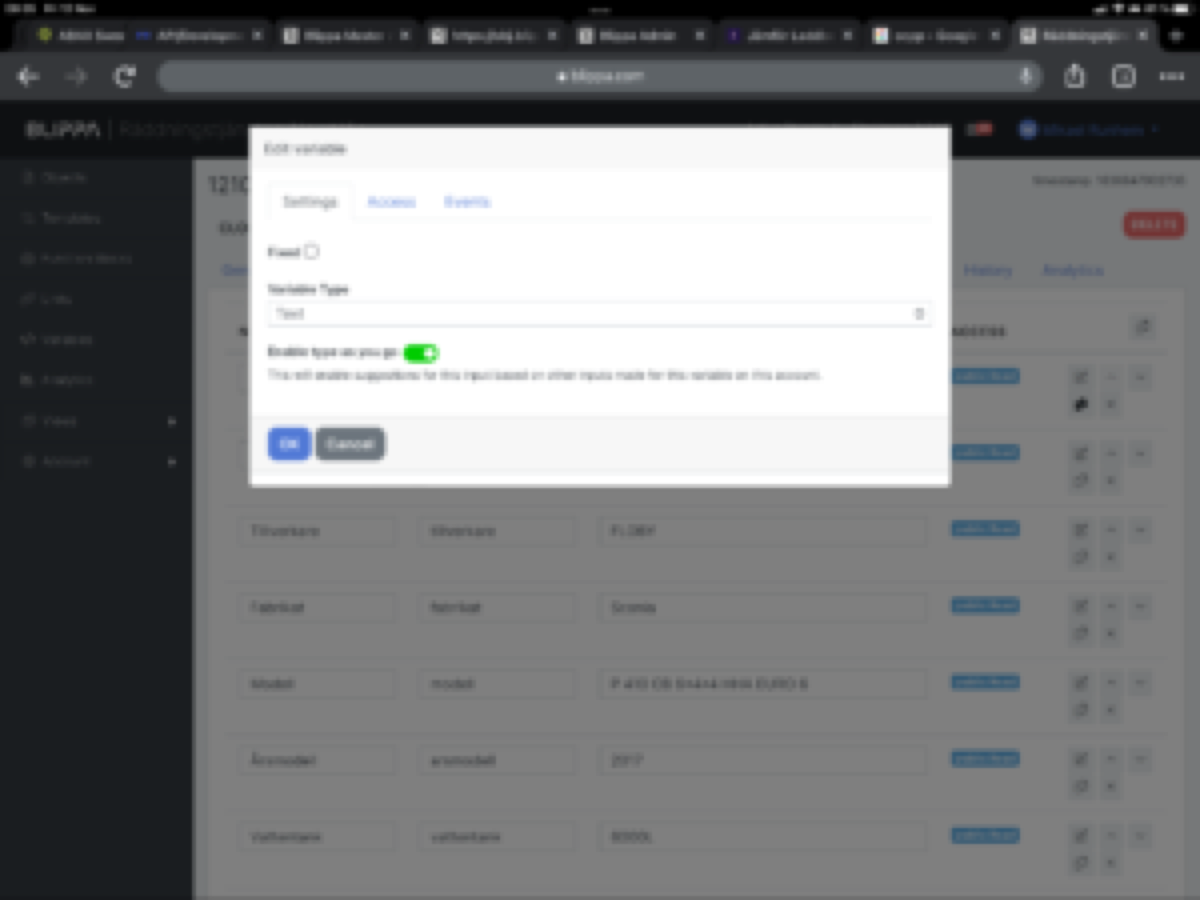
För att aktivera: Gå till inställningen för variabeln och välj Typ-as-you-go.
/Mikael Runhem
The Type-as-you-go setting
24 februari 2021
Stöd för att skapa Blippa-objekt via Excel-filer.
Vi börjar nu få en hel del större kunder som vill skapa hundratals/tusentals Blippa-objekt med tillhörande etiketter.
Vi har sedan tidigare vårt API som låter systemutvecklare bygga in funktioner som automatiskt skapar Blippa-objekt inifrån exempelvis ERP/ekonomisystem.
Nu har vi även en ny Excel-koppling som gör att vem som helst enkelt kan skapa objekt/etiketter genom att:
Skapa en mall.
I mallen, skapa variabler (typ serienummer mm) för det du vill skall användas på etiketterna.
Lägg in variablerna där du vill använda dem, typ “Denna båt har serienummer $var:serienummer$ “
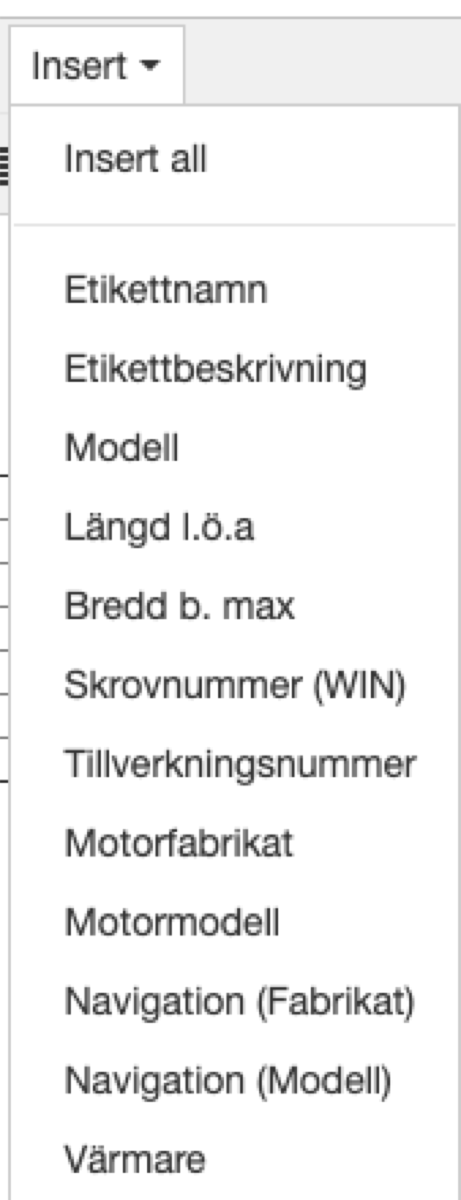
OBS: Enklast är att använda editorn på objektets startsida och från menyn välja Insert. Då ser du hur variablerna ser ut och du kan sedan klipp/klista in dem på lite olika ställen.
Själva använder vi detta ofta i objektets/etikettens namn.
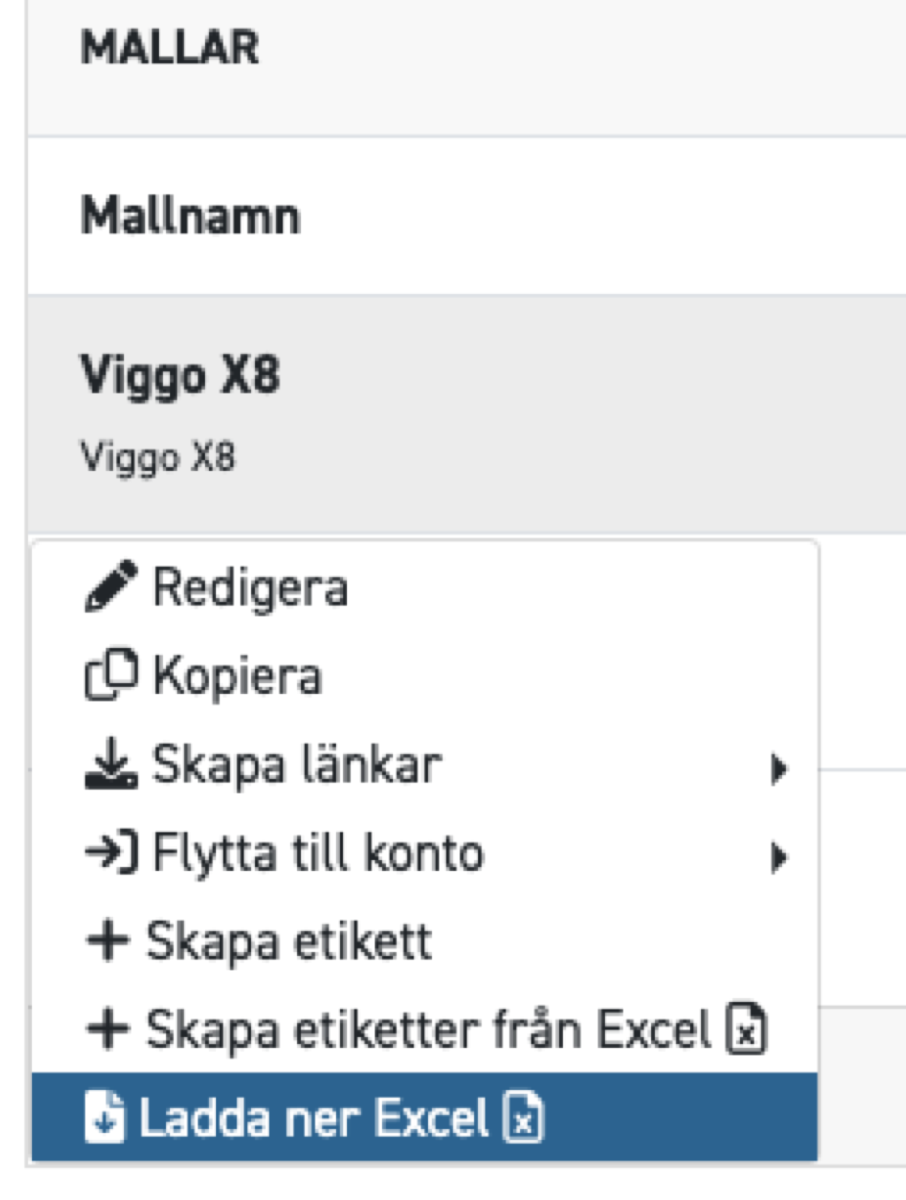
Från mallens meny välja “Ladda ner Excel”.
(Detta skapar en tom Excelfil med etikettens variabler på översta raden).
Öppna den nerladdade filen och fyll i uppgifterna.
Varje rad i filen skapar ett nytt objekt!
Ladda upp filen igen via “Skapa etiketter från Excel”. Notera att du kan bara ladda upp filen till samma mall den kom ifrån… Detta eftersom olika mallar kan ha olika variabler mm.
Kort sagt: Superenkelt!
23 februari 2021
Stöd för Google Analytics och Facebook Pixel.
Vi har nu lagt in stöd för Google Analytics och Facebook Pixel på objekt (etikett)-nivå.
Blippa har sedan tidigare stöd för Google Analytics på kontonivå, dvs det gäller för alla objekt/etiketter som kontot har.
Med den nya inställningen kan man skapa statistik på enskilda objekt/etiketter.
OBS: Uppdatera era GDPR-texter om ni väljer att slå på denna funktion.
17 november 2020
Blippa.com fungerar nu med NFC-taggar!
Man kan nu använda antingen QR-koder eller NFC-taggar!
Apple öppnade för något år sedan upp så att nyare iPhones kan använda NFC-taggar. (Läsaren sitter bredvid kameran.)
NFC fungerar på samma sätt som för våra QR-koder: När man blippar en NFC-tagg dyker en fråga upp i överkanten på telefonen “Öppna Blippa.com i Safari”.
Vips så är man inne på Blippa-märkets sida!
Eftersom både QR-koder och NFC använder vanliga webblänkar kan man kombinera QR&NFC så att oavsett vilket man använder så kan samma Blippa-sida öppnas.
För mer information och test-taggar, kontakta oss.
10 november 2020
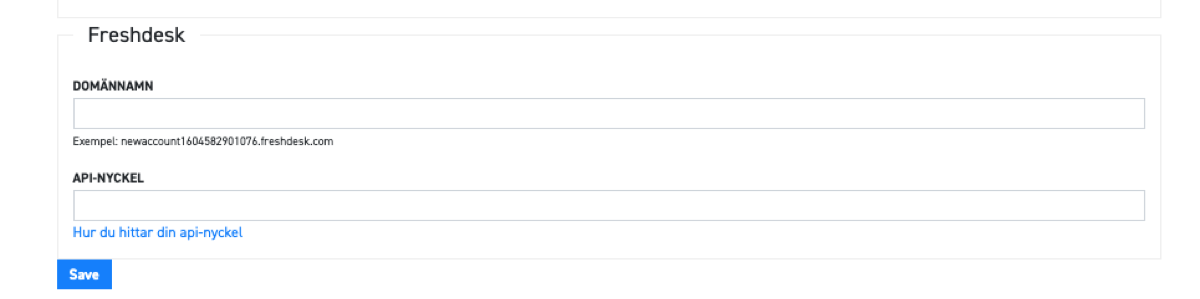
Blippa.com fungerar nu med Freshdesk ärendehanteringssystem!
Vi har nu integrerat Blippa med Freshdesks ärendehanteringsystem!
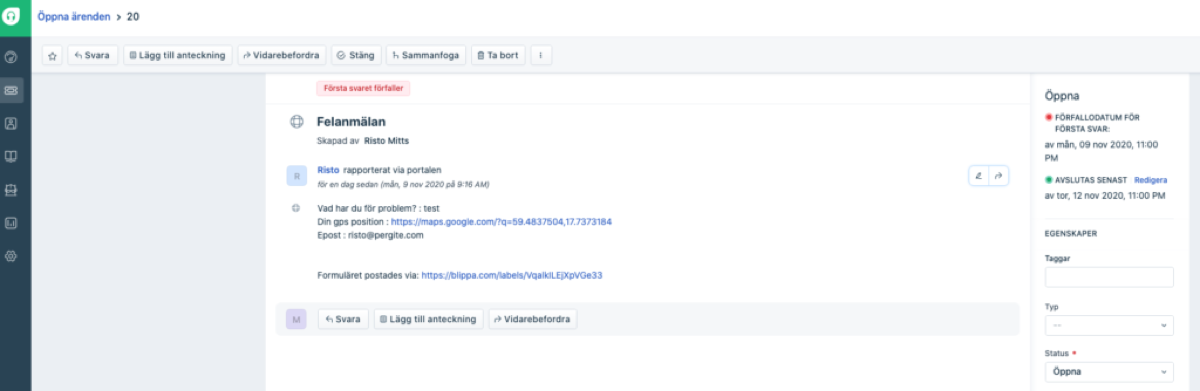
Detta innebär att man nu kan låta ett felanmälningsformulär skapa ärenden i Freshdesk.
Freshdeskinställningarna finns nu i Blippas konto-inställningar.
28 september 2020
Nya funktioner för Trello!
Trello är ett av väldens mest använda system för att hålla reda på saker och enkel projektstyrning. Vi på Blippa har själva använt Trello i över tio år. Faktum är att Blippa har utvecklats genom hundratals små arbetsordrar i form av Trello-kort!
Vi har nu arbetat vidare på Trello-integrationen och gjort så att formulär som postas via Blippa automatiskt kan skapa Trello-kort.
Man kan även ange var korten skall hamna och vem som skall sättas som ansvarig. (Då plingar det till hos personen direkt).
Nytt är även att vi kan skapa check-listor i Trellokortet. Detta är användbart vid exempelvis en båtmotorservice, där byte av oljefilter, luftfilter, brönslefilter osv. dyker upp i checklistan och kan bockas av efter utfört arbete.
Vi jobbar nu vidare med Trello så att man får integrerad återkoppling till Blippa!
9 september 2020
Stöd för BankID!
Vi har nu lagt in stöd för BankID-signering och inloggning.
Först ut är Logg-funktionen där nu servicetekniker kan spara vad som har gjorts på servicen och signera med sitt BankID.
4 september 2020
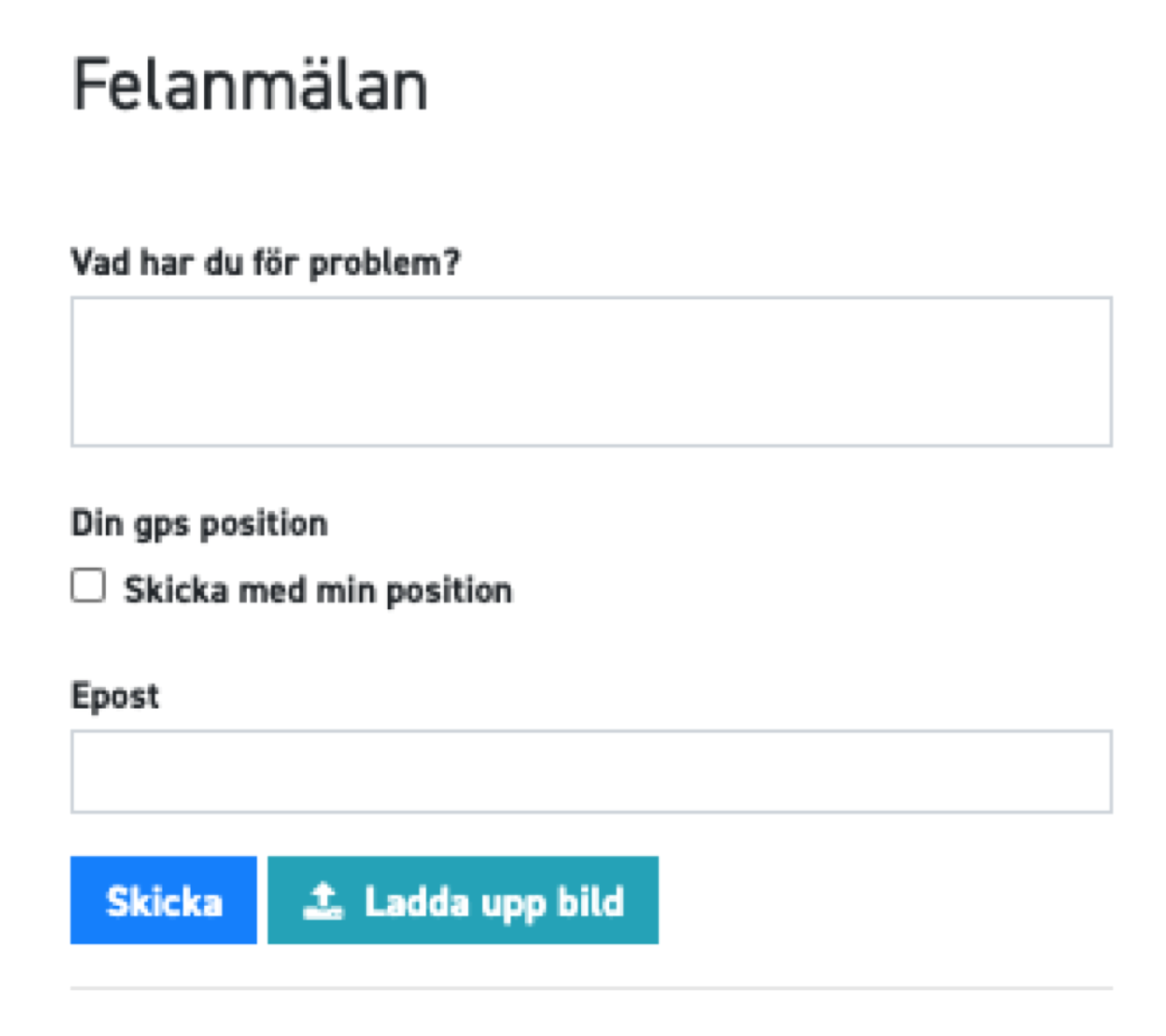
Stöd för GPS-position!
En kund hade problem med att det var svårt att hitta var i skogen som trasiga skogsmaskiner befann sig. Vilket resulterade i att service-teknikerna irrade runt på grusvägar och försökte hitta fram.
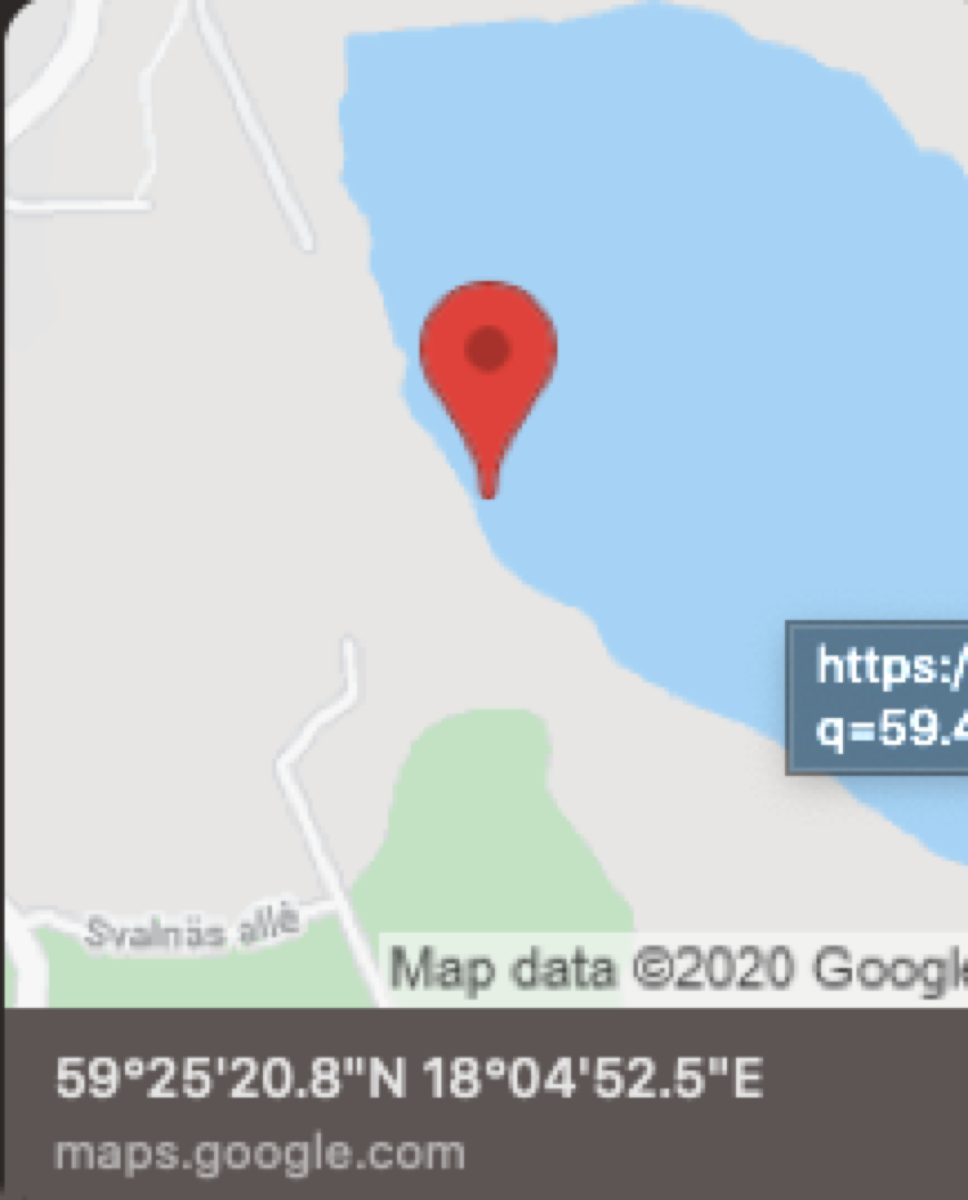
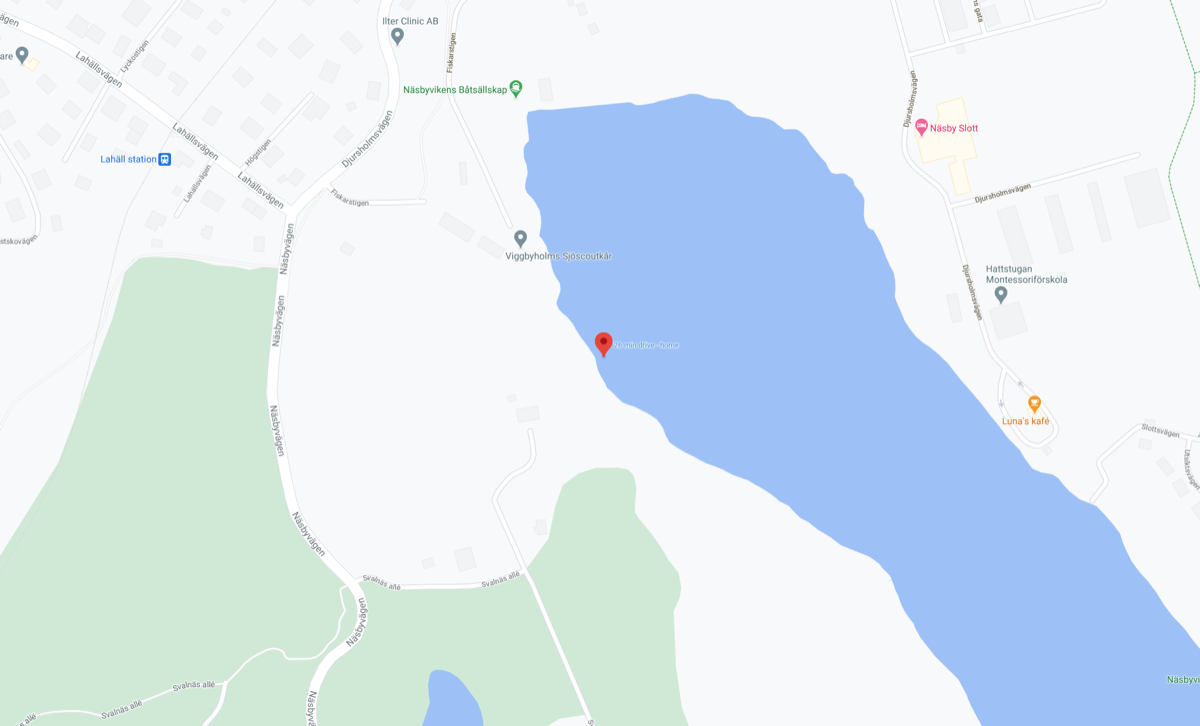
Vi utvecklade därför en funktion som använder felanmälarens telefon för att bestämma GPS-koordinaterna.
Dessa skickas sedan till service-teknikern som ett SMS tillsammans med Google Maps-länken.
Det går även att baka in GPS-positionering i Blippas vanliga formulär.
På engelska
10 februari 2026
Introducing Blippa This — Digitize Anything in 30 Seconds
We’re excited to announce the launch of Blippa This — our new tool that lets you digitize anything in 30 seconds. Simply pick a category, and Blippa creates a fully functional digital experience for your product, property, or asset.
What can you Blippa?
With 100+ ready-made templates, Blippa This covers virtually every use case:
🇪🇺 Digital Product Passports (DPP) — Full EU ESPR compliance for textiles, electronics, batteries, tyres, footwear, cosmetics, and more
🏷️ Lost & Found — Tag your belongings so finders can contact you
💼 Business Cards — Digital contact cards with vCard, social links, and one-tap calling
🧯 Fire Safety — Inspection tracking for extinguishers and AEDs
📦 Containers — Shipping and logistics tracking
📶 WiFi Access — Share network credentials with a QR scan
And many more — Pets, watches, vehicles, parking, transport, outdoor gear
AI-Powered Vision
Not sure which category fits? Use our AI Vision feature — simply take a photo of any object and our AI will identify it and suggest the right template automatically.
Digital Product Passports — Simple on the Surface, Complex Underneath
Scanning a QR code and seeing a beautiful product passport takes 2 seconds. Building the system behind it? That’s where the real work happens.
Template architecture — function blocks, page design, GS1 link structure, label design
Data pipeline — mapping input files (Excel, CSV, Google Sheets) to ESPR-compliant fields, serialization, batch processing
Link & label generation — output files for factories, QR/NFC labels, GS1 Digital Links
Datasource integration — connecting product data, syncing across systems, handling activation states
Compliance mapping — ensuring every field meets EU ESPR requirements for your specific product category
With the EU’s ESPR regulation approaching, businesses need Digital Product Passports — but most underestimate the complexity. Blippa handles all of this behind the scenes, so your DPP looks effortless while being fully compliant.
We’ve built pre-built DPP templates covering all 11 product categories. Each includes full traceability, material composition, environmental impact data, and compliance documentation — all accessible with a single QR scan.
The complexity is our job. The simplicity is yours.
Try It Now
Visit blippa.me on your phone and create your first digital experience in seconds. No account needed to explore — just pick a category and go.
For businesses ready to scale, book a demo to see how Blippa can digitize your entire product portfolio.
We have now added support for dynamic images in Blippa.
With this, images containing variables from Blippa can be created with ease.
Just create a SVG file and insert the text $var:name$ where name is the variable to use. The content of the variable will replace the $var:name$ when blippa.com shows the image.
PS: You can use the same method to fill in pdf templates! DS
18 april 2022
Type-as-you-go in variables
When objects are created, it is good to have all options pre-defined. Like brands, models, colours etc etc.
The downside is that it creates new administration tasks, something we all can do without.
So, to solve this, we now have deveoped a type-as-you-go system for variables. As soon as you have typed a car model, you can re-use it on the next Blippa item by just typing the first letters in the name!
Naturally, this only works on text variables.
To enable: Go to the setting of the variable and select Type-as-you-go.
/Mikael Runhem
The Type-as-you-go setting
30 november 2021
Dropbox integration!
We have now released the new Dropbox integration. With this, data in the new Data Sources like Excel files can be edited and saved to Dropbox.
The new data will automatically be updated in all Blippa objects, without the need to upload a new file to Blippa.
This is also useful when using Blippa to provide drawings and other information for things like electrical switchboxes: With one Blippa QR sticker, all information can easily be found, and now automatically presenting the latest, revised drawings (from Dropbox).
You can connect Dropbox under Integrations in Labelsadmin.
30 november 2021
More options for sending QR codes to print companies.
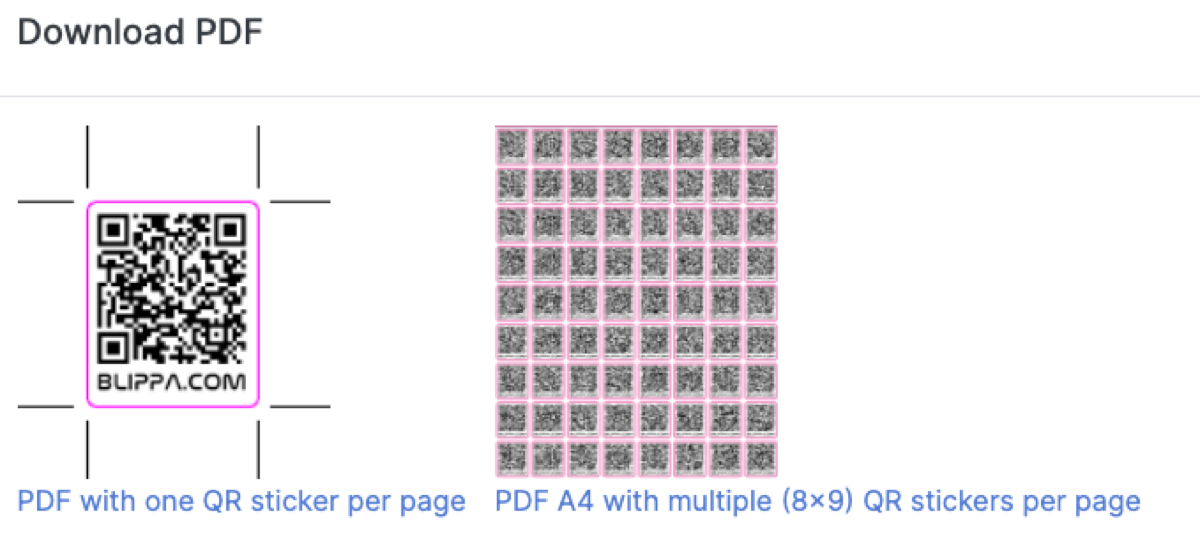
We have modified the “Download QR as PDF” to allow choosing between creating one PDF with one QR sticker on each page, or one PDF with many QR stickers on each page.
Different print partners prefer different files, so this option is to cover both methods.
Also, the cutting line needed is made in a special colour to make things easy.
29 november 2021
Just released: Blippa Data Sources!
We have now taken the knowledge gained in our latest customer projects and developed a super smooth way to get data into large amounts of Blippa objects.
Data Sources differs from Integrations in that they are only to be used as data feeds, versus the Integrations that are providing different functions.
With Data Sources, Blippa can now provide any system with a state-of-the-art QR web interface in no time. (We are now setting up very large systems with thousands of objects within a few minutes!),
The first data source we added is Excel files. With this it is possible to use data extracted from another system inside Blippa.com, using the common Blippa variables approach.
How to use Data Sources:
Create a Data Source
Upload an Excel file with data.
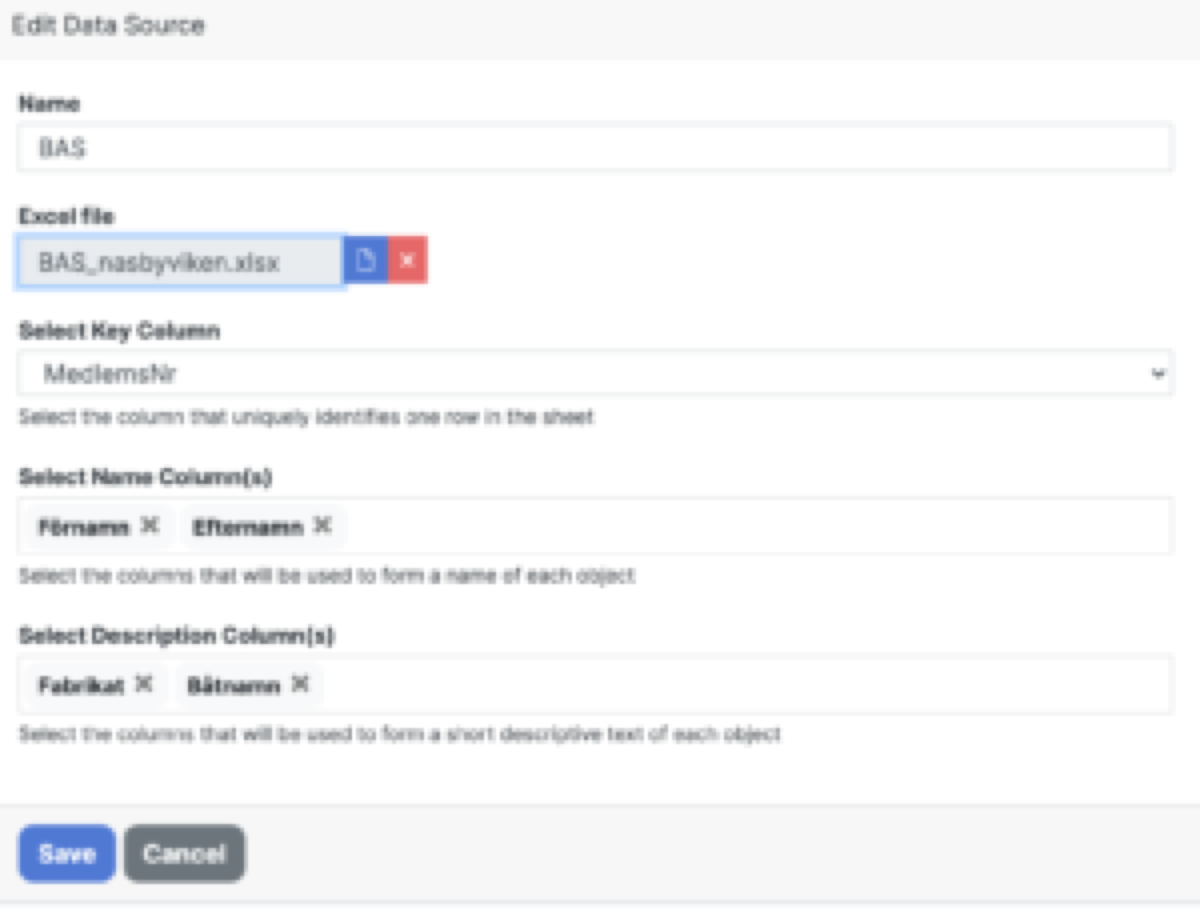
Choose what Excel column to be set as the main variable.
Choose what column headers that are going to be displayed when creating a new Blippa object.
Create a template.
Add a variable and choose Data Source as the type.
Select the Data Source and save.
Create a new object using the template.
On the variable line, type anything to search the Excel file. (you can search for any text or number in the file).
Select the data record.
Save
You now have a new object with linked data!
To change the data, just upload a new version of the Excel file. This way, thousands of objects can be updated with just one file!
Image from adding a Swedish boat club file from the BAS system.
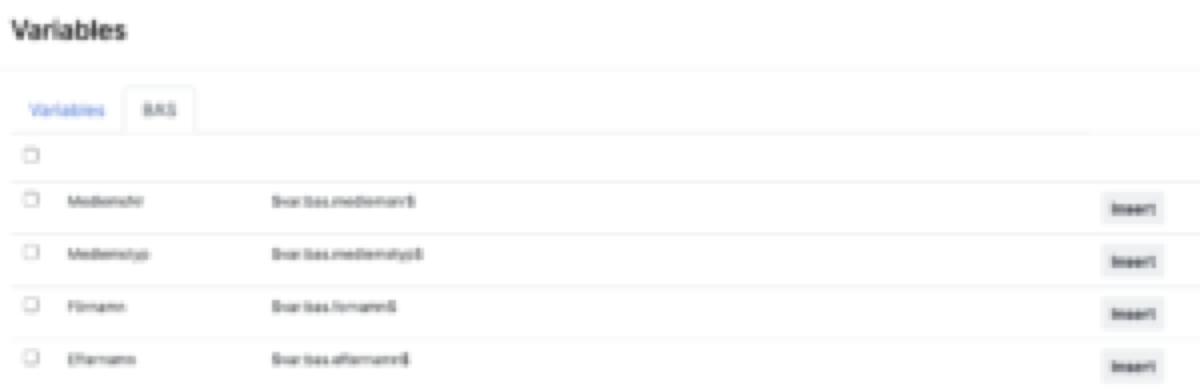
To use the Data Source, just use the Var button in the editor or in the form entries.
As an example, writing $var:bas.medlemsnr$ will display the membership number.
Dropbox
Instead of uploading the Excel file to Blippa, the file can be fetched from Dropbox automatically. With this, any changes in the file will change the affected Blippa objects immediately.
As for speed, we will cache the contents of the file and check the checksum in Dropbox for detecting file changes 🙂
Mass creation of Blippa Objects
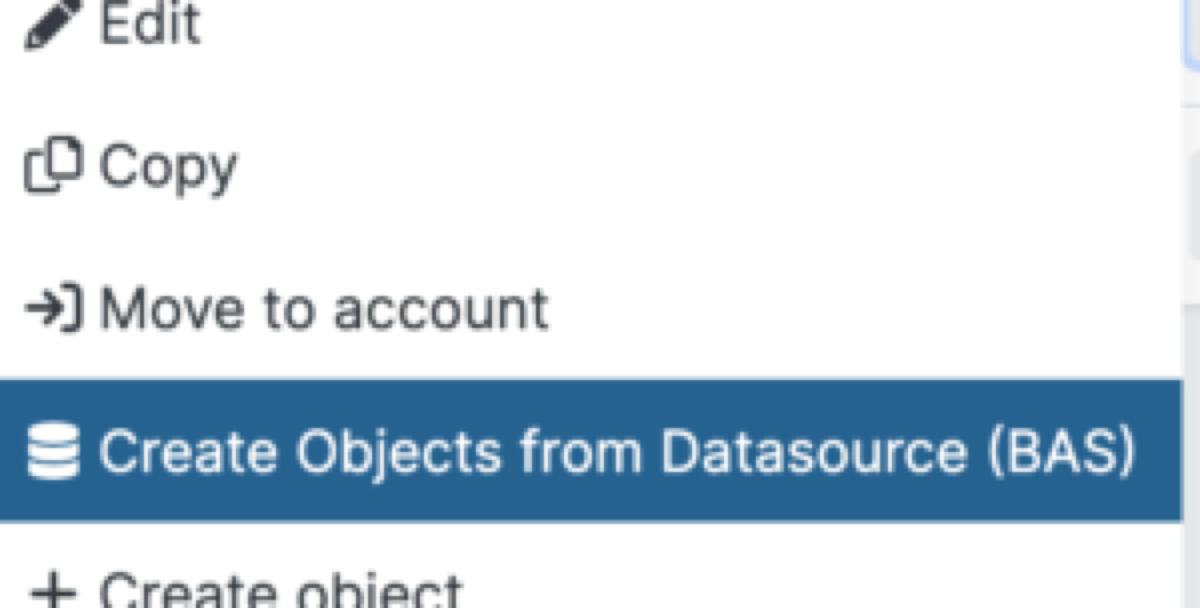
Together with Data Sources, we are now launching the ability to create thousands of objects using the data in a Data Source.
Naturally, if the Data Source (in this case the Excel file) is changed, the Blippa objects will be affected: Either there will be more objects (if rows with records are added to the file), modified objects (if something has changed in the file) or disabled objects (if rows in the file has been deleted).
BAS
The Data Sources was first put in use for Swedish boat clubs. There are some 300 clubs in Sweden, about 90% are using the BAS system. In the current BAS version, there is no API so a native integration was impossible to develop. Instead, the “Export to Excel” function in BAS was used to produce files for each club. These files were then uploaded/Dropbox linked to Blippa as Data Sources.
Planned enhancements for Data Sources:
Support for Google Sheets.
Support for REST APIs.
Support for saving data to Data Source.
29 november 2021
Play around at our new Blippa staging servers!
We needed a better way to test big changes so we added a serious staging environment for the Blippa.com system.
Works great for us at Blippa.
But, since all content is copied every night from our production servers, your Blippa account is also copied. So, you can play around with your objects, templates, variables and data sources without the fear of destroying something in your production environment!
Every night there will be a fresh copy! Be aware: any changes in the staging servers will be lost at midnight…